Keychron V10 Max
Page Properties
| modified | Sunday 9 March 2025 |
|---|
Edited: Sunday 9 March 2025
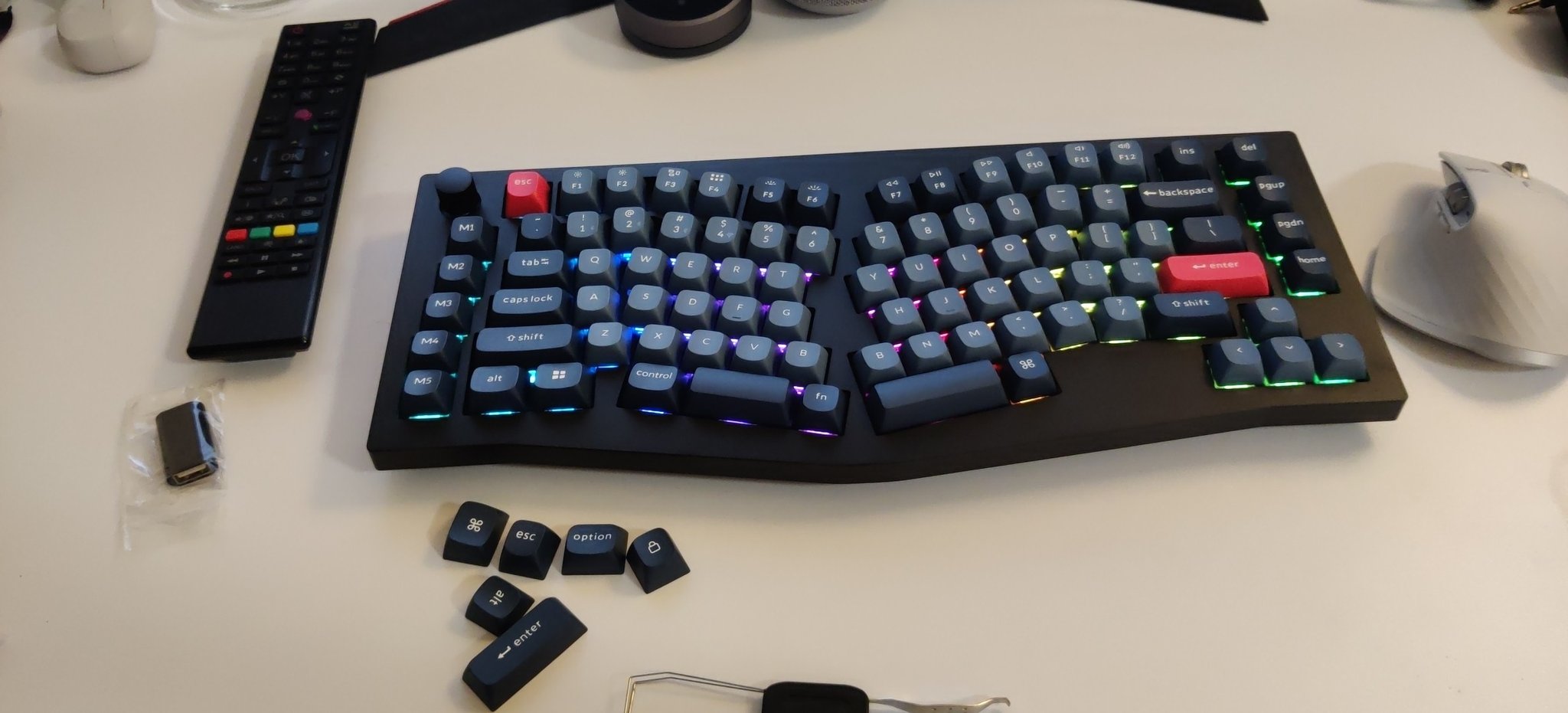
I was looking for a keyboard upgrade for my Microsoft sculpt. My criteria was:
- It has to be split, I got used to it, can’t go backup
- Silent or at least not clicky
- Does’t break the bank
- I can customize it with caps and switches in the future (I made a mistake getting keychron K2 7 years ago, not gonna repeat the same mistake twice)
So I got a keychron V10 Max, the price is reasonable, not too cheap, not too expensive. I ordered it from Keychron website, because from Amazon it was more expensive.
I ordered it 12 December 2024 and was delivered 23 December 2024.
First Impression 
- The build is fine, it’s plastic all around, but we’re not looking for luxury here aren’t we?
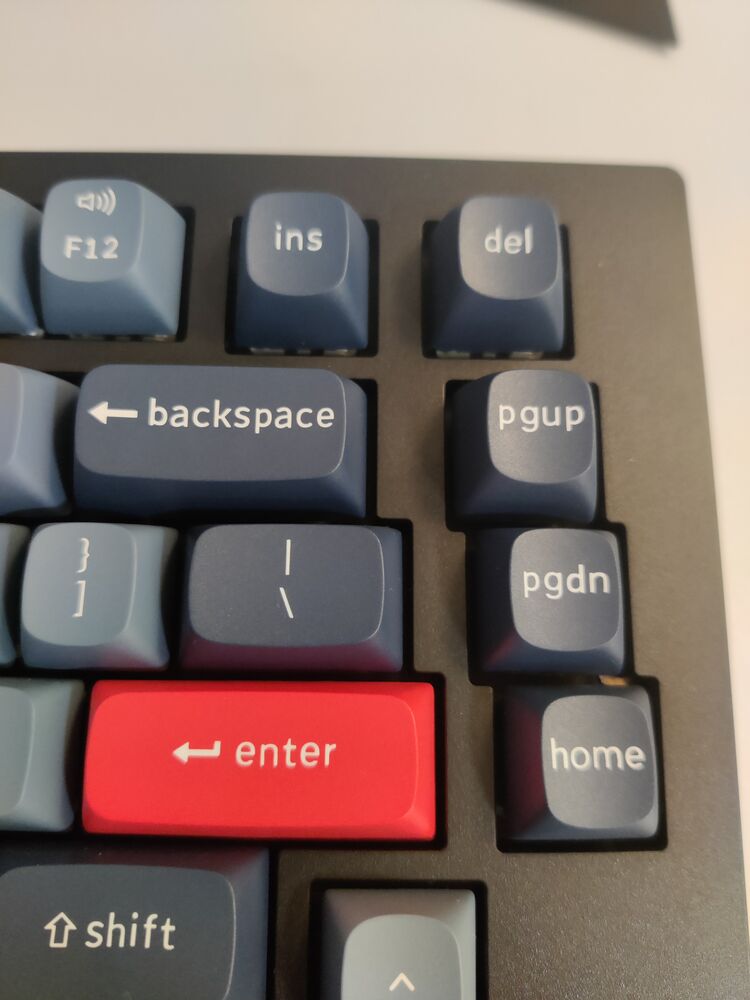
- The keys print looks horrible on long keys with long lables like “Backspace” and “PgUp/Down”, the space around the edge of the cap and the label is too small, I was into design before dedicating myself to software engineering, so looking at the key physically hurt my feelings
- it comes with 2 dongles USB and USB-C AND a USB-C to USB-C cable + a converter from C to A. very thoughtful of Keychron.
- I miss the arm rest of the microsoft sculpt, it was so comfortable
- The keys are a little closer to each other so I mistype a lot. I mistake (C,V) and (N,B) and I touch the knob everytime I want to press the ESC key.
- It’s not clicky but the brown switches still make some noise. I may switch the keycaps and the switches later to something more silent
Changing the layout 
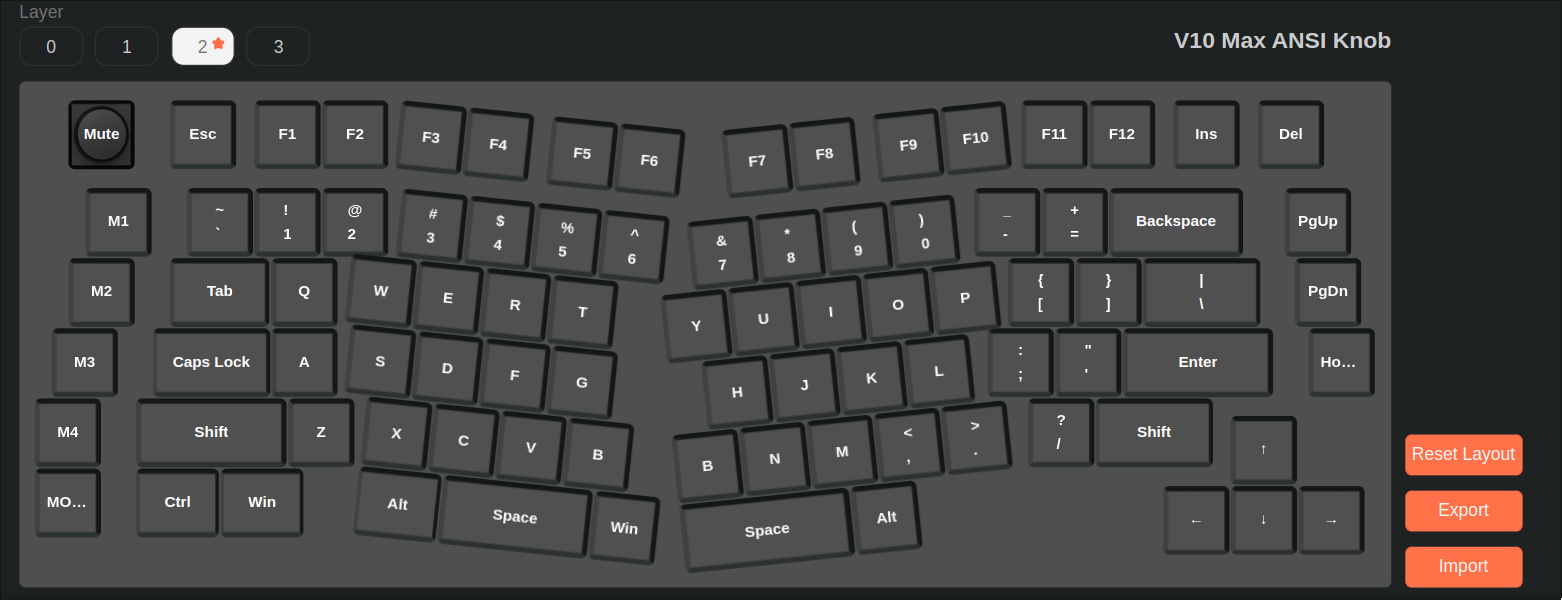
- I tried to change some keys using Keychron launcher from google-chrome aaaand it didn’t work.
- I had to open “chrome://device-log/” to check the error. found permission denied for /dev/hidraw3 so I gave it permission
sudo chmod a+rw /dev/hidraw3
- Then it connects but it shows an error that the firmware doesn’t support wireless. so I connected it using the USB cable. gave
/hidraw7write permission this time and it worked. - I already switch L-Ctrl and L-Alt so I just needed to switch the caps.
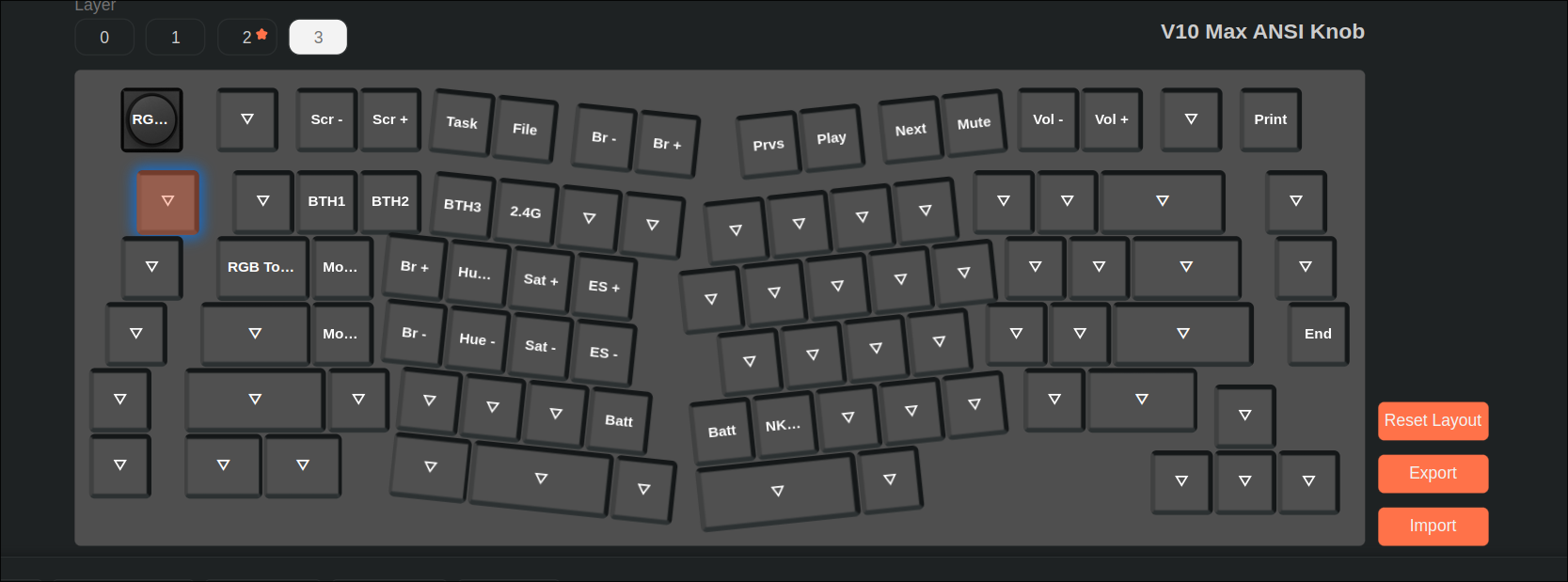
The Meta/Super key is a little uncomfortable for me and I depend on it as Hyprland Mod Key. So I changed the FN key to Meta and the last M5 key to FN.- Also notice this layout doesn’t have a printscreen key, so I had to make the
DeleteM1 key in the last layer a print screen.
The following udev rule allow assigning the hidraw devices to my user automatically to have write permission 
# save to /etc/udev/rules.d/99-hidraw-permissions.rules
KERNEL=="hidraw*", SUBSYSTEM=="hidraw", MODE="0660", GROUP="hid", TAG+="uaccess", OWNER="emad"
First day of use 
- I’m not sure if I should keep it, but noticed also that I have like 5 days to decide, as keychron return policy states that I have to tell them within 7 working days of the delivery and I have to pay for the return myself (around 18 EUR with DHL)
- I for sure need arm rest. the keyboard shape is not straight so any arm rest will leave gaps from each side.
Second day of use 
- I feel I’m writing faster and with less effort, it’s easier to press the keys, maybe the force needed to press the keys is less than my last keyboard
I noticed the keylayout has 2Bkeys. I always use the one on the left hand. so I switched the right key to beESCas the usual place forESCis too far. The keyboard also came with an extra keycap forESCso I switched it too.